












Monitors Practice Reviews

ASUS ROG Swift PG27AQDP review – the first 1440p monitor with 480 Hz | eSports at its best!

General measurement setup

Basically, there is not much to say. I use NVIDIA LDAT to measure the response times. This is placed in the center of the display. Just like I measure color fidelity with the ColorChecker Display Plus, for example.
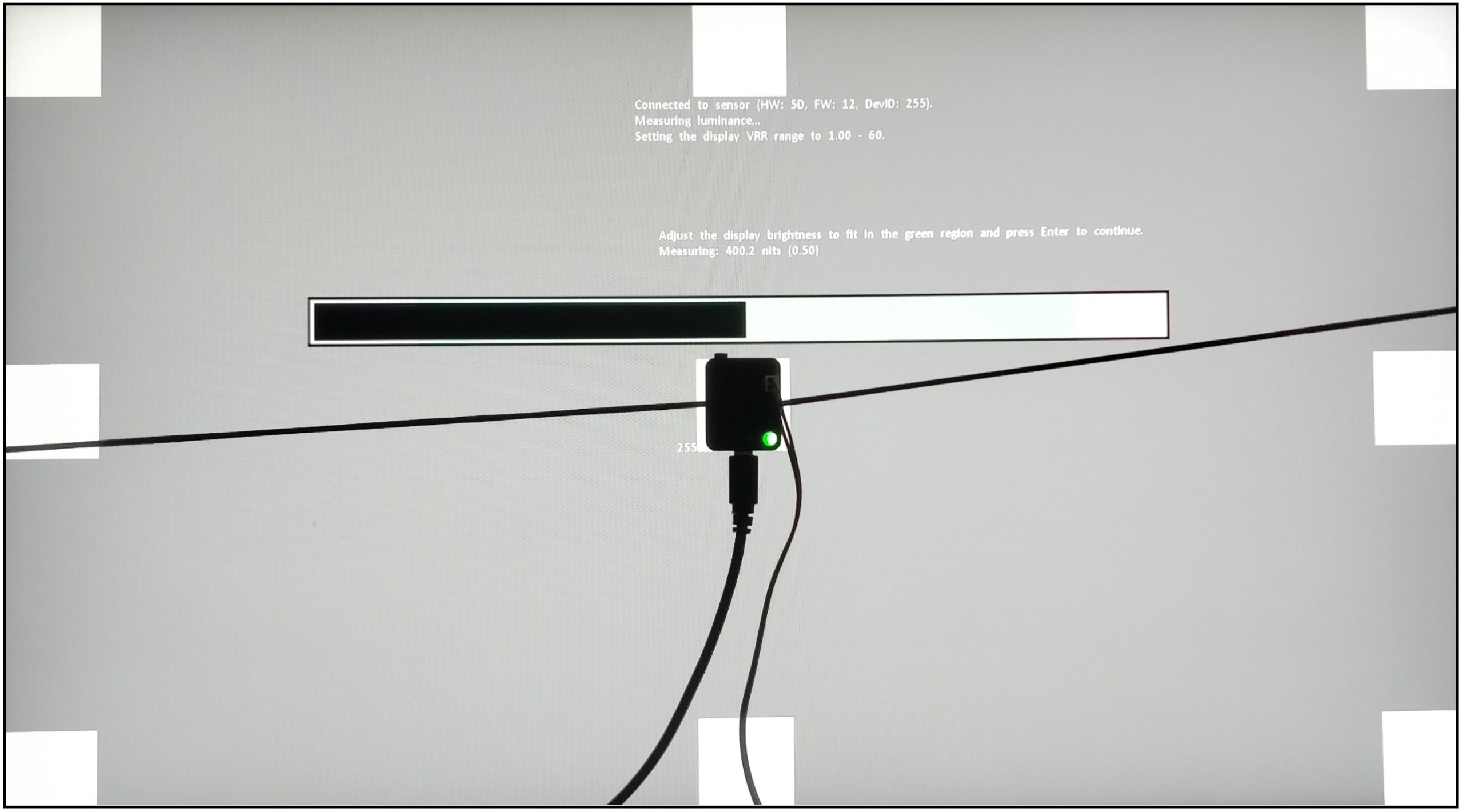
I let the monitor warm up for an hour at 200 nits beforehand. As with calibration, the panel should warm up first. Then you avoid different measured values. My current test setup looks like this:

CPU Intel Core i9-12900K
Mainboard MSI MPG Z690 Carbon WiFi
RAM 2x 16 GB Corsair Dominator 6000 MHz CL 30-36-36-76
SSD 1 Samsung 980 Pro 500 GB (System)
SSD 2 MSI M480 2 TB (games)
SSD 3 HP EX950 2 TB (games)
SSD 4 HP SDD S750 1 TB S-ATA (backup)
CPU cooler Alphacool Eisbaer Aurora 360
Power supply Seasonic Prime Platinum 1300 Watt
GPUs

NVIDIA GeForce RTX 4090 FE
MSI AMD Radeon RX 6700 XT Gaming X

Sound SoundblasterX AE-5 Plus
Keyboard Sharkoon Purewriter RGB (Red Button) via USB @1000 Hz polling rate
Mouse Sharkoon Light² 200 @1000 Hz polling rate
Monitor
ASUS ROG Swift PG27AQDP (WOLED 2560 x 1440p @ 480 Hz)
Test tools / software

Tools
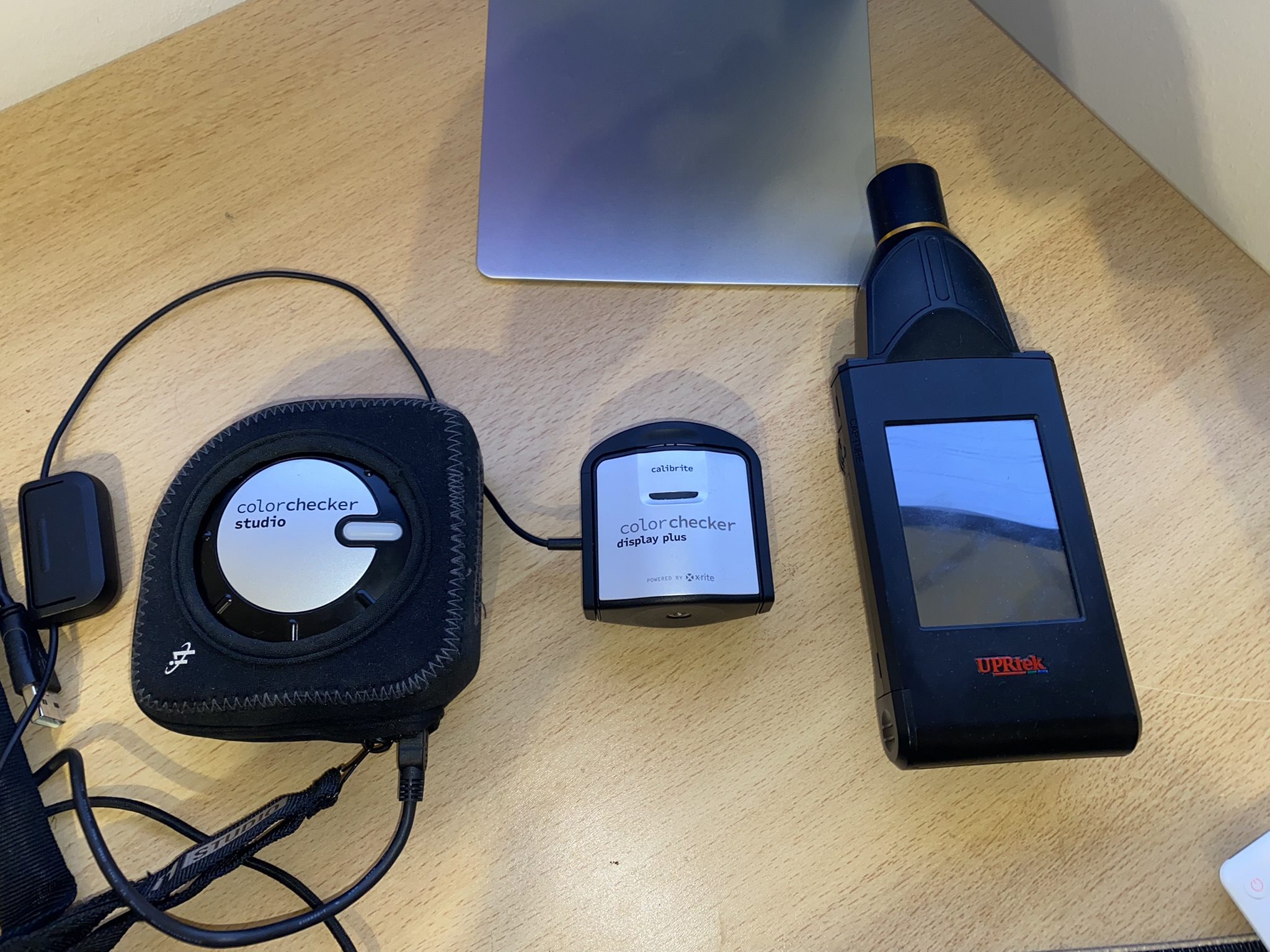
Colorimeter: Calibrite ColorChecker Display Plus
Spectrophotometer: Calibrite ColorChecker Studio
Spectroradiometer: UPRtek MK550T
NVIDA LDAT V3: Response Times and Latency Sensor

Software
Portrait Displays Calman Ultimate 2024
UPRtek uSpectrum
UPRtek uFlicker
NVIDIA LDAT Displaytest
UFO Test (online)

If anything changes here, I will of course update this. The fact is that the PC hardware is basically irrelevant. I connected three different computers to the monitor and the results were always the same. The monitor itself should be NVIDIA G-Sync compatible. However, this is not a must for the GtG measurements! I always measure the response times after calibration. This creates the same conditions for all monitors.

Measurement method (GtG)

With the gray to gray (GtG) measurement, different gray levels are measured. But also from black = 0 to 255 = white. This results in 36 response times in the rise-up (black to white) and 36 in the rise-down (white to black) – making a total of 72 measurements. LDAT measures the time in ms that is required from the start color to the target color.
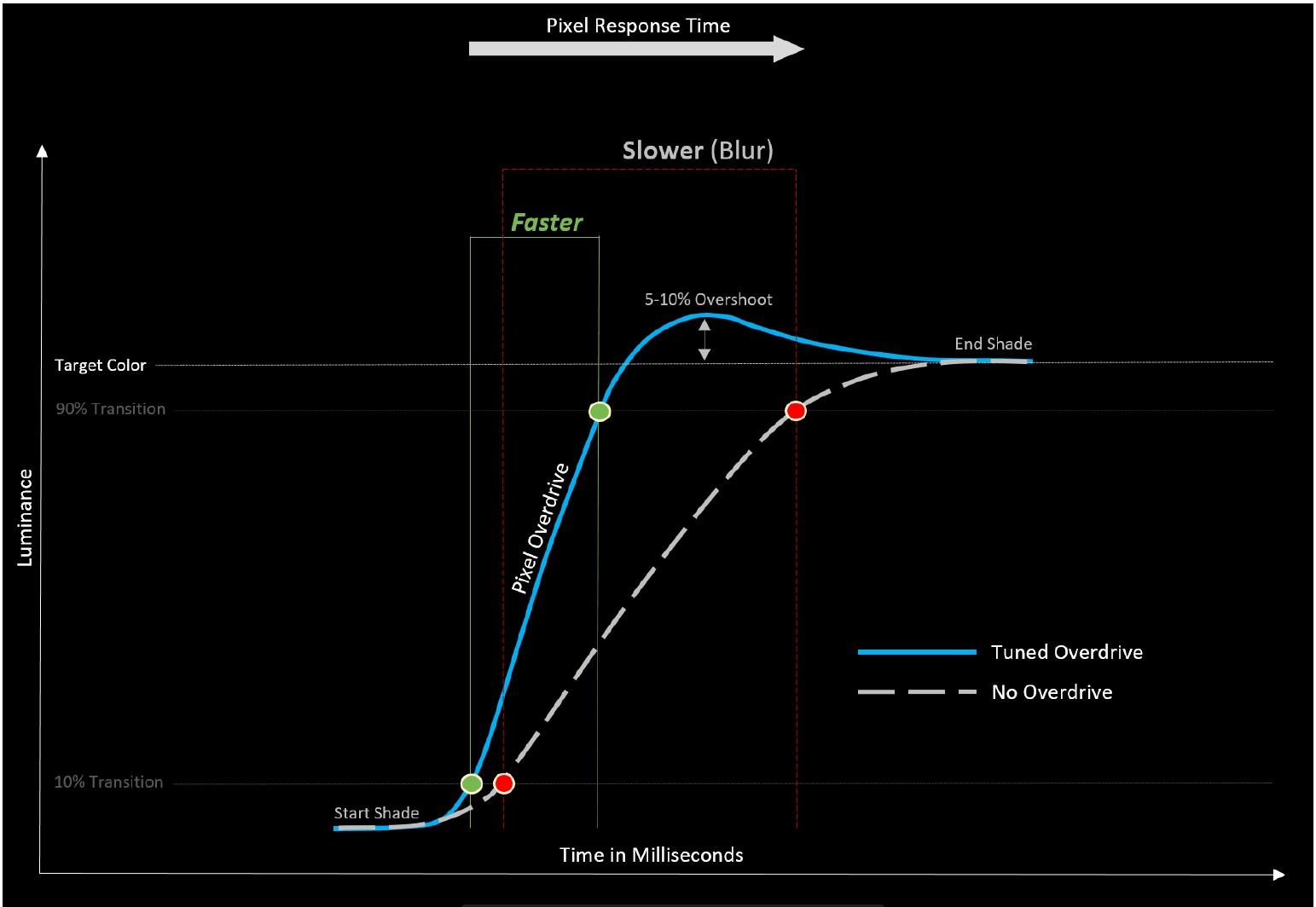
The current international standard for the response time is the 80 % transition. This means: To avoid measurement inaccuracies with regard to signal noise, LDAT also only measures the response time after 10 % of the start-transition curve and 10 % before the actual end. The overshoot is considered separately. See also the picture above.

Furthermore, it is currently not technically possible for me to make UFO recordings. I simply don’t have the necessary equipment. Unfortunately, I don’t have an adjustable high-speed camera (0 to 1000 FPS).
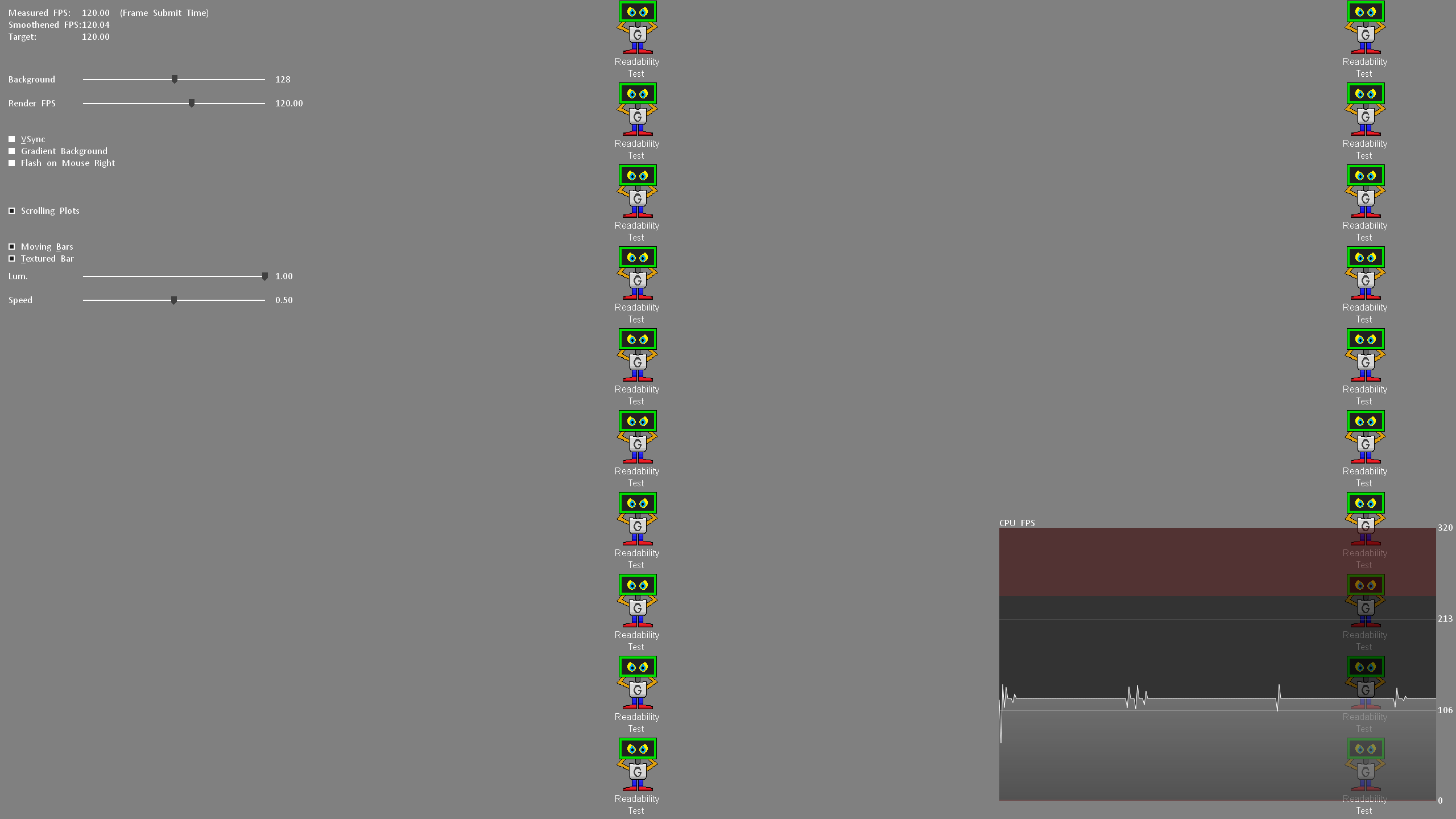
Nevertheless, I look at the motion clarity on the one hand with UFO (click here) and on the other hand with the NVIDIA LDAT software. (see picture above)

Display lag, monitor input lag and E2E latency

The display lag is the sum of the processing lag and half the scan-out (the image build-up to the middle of the screen = refresh lag). Measured via LDAT, for this – and I emphasize – only for the display lag, G-Sync compatibility is mandatory. This basically means FreeSync via DisplayPort. G-Sync must be activated in the NVIDIA driver.
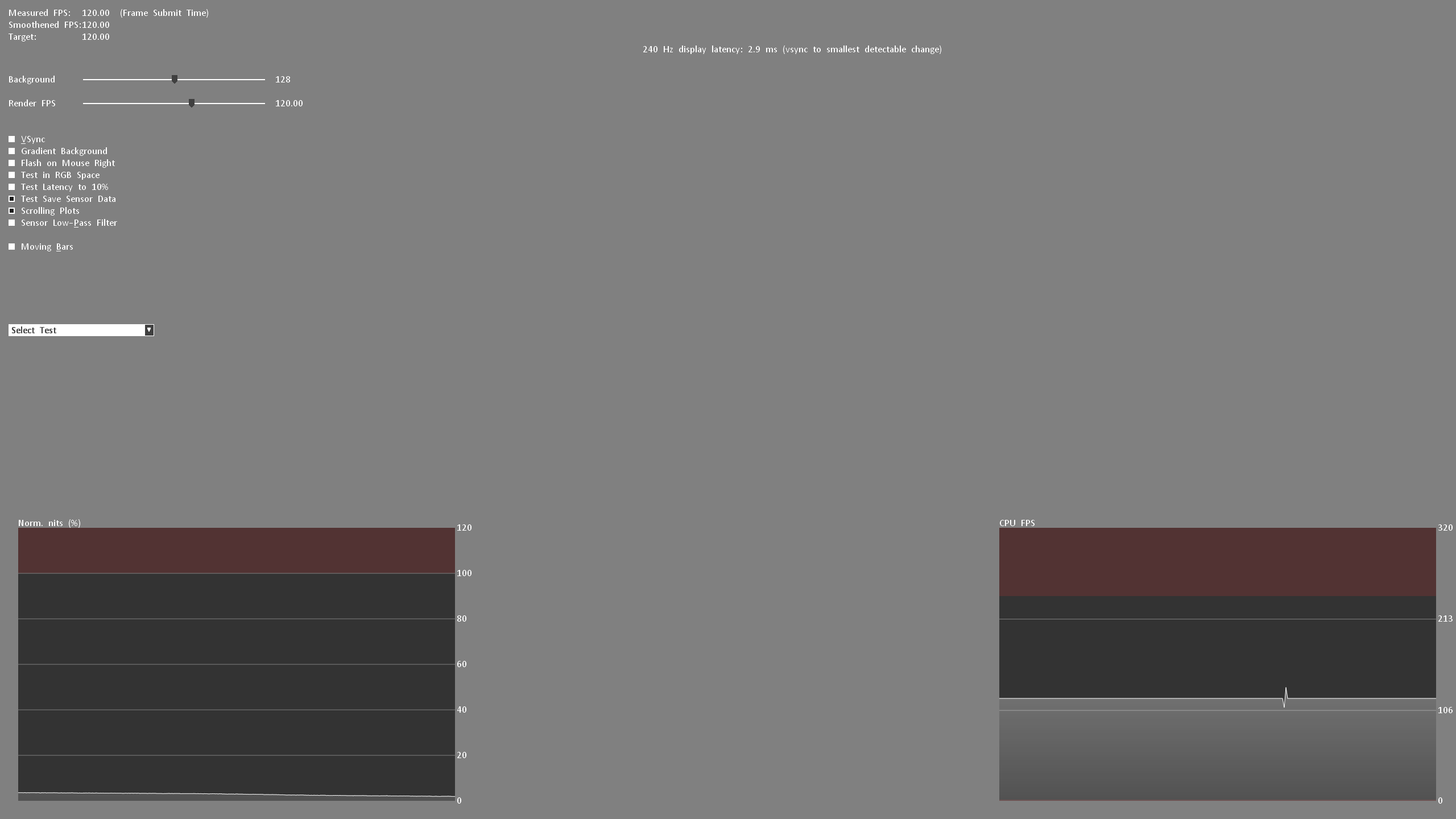
For the actual input lag, I add the average pixel response time (playable overdrive). Example: 3.6 ms display lag 2.6 ms response time = 6.2 ms input lag

Finally, I measure the E2E latency. In other words, from the mouse click to half the pixel response time. Yes, only half the transition is measured here.

Attention:

All latency measurements are carried out at the maximum frame rate and the same FPS. Example: 240 Hz with 240 FPS

Measuring the color performance

I have already explained how I measure color performance in the basic article on Calman Ultimate from Portrait Displays.

To be able to offer you the best possible color accuracy measurements, I always use the UPRtek MK550T Spectroradiometer.


On the one hand, this “profiles” the respective monitor in conjunction with Calman Ultimate so that I can also measure accurately with the Calibrite ColorChecker Display Plus Colorimeter. Secondly, each calibration is validated with the UPRtek MK550T. Furthermore, I also carry out various measurements with the UPRtek uSpectrum software – for example, the spectral analysis of each display in relation to the balu light component – the subject of eye-safe.
Here again to read:

I used the Calman Ultimate color calibration software from Portrait Displays for all measurements and calibrations. With my measurements, I can offer you certainty as to whether a monitor complies with the manufacturer’s specifications – or not.

Note

If you look at other testers’ tests on monitors, there may be differences – especially in the response times. You must therefore always check how other colleagues measure such things. This does not mean that my or other measurements are wrong. The differences arise due to different test methodologies and different hardware. The decisive factor is that all monitors are tested using the same measurement system/methodology. Then the values can be compared with each other. Please do not compare my measurement system one-to-one with others.

All measurements (latencies, response times, color performance, etc.) are repeated three times and must be subject to my defined accuracy.

Measurement repeatability:

Average response time /- 0.5 ms
Average Latency /- 1 ms
Average delta E 2000 /- 0,5
Brightness /- 10 nits

The best result will be published. This ensures plausibility and fairness in the end! Continue on the next page.


Kommentar

Lade neue Kommentare

Dr4x

Veteran

210 Kommentare 184 Likes

Der Monitor ist wirklich der Hammer. Leider preislich auch wirklich nicht gerade ein Schnäppchen, aber gut, dafür bekommt man auch eine Menge. Leider sitzen die Nieren zu fest und die Leber gibt auch nichts mehr her...

Antwort 3 Likes

starniblath

Mitglied

28 Kommentare 29 Likes

Netter Monitor. Aber sehe ich das richtig das der Monitor kein VESA Mount hat? Damit wäre er, selbst wenn mir der Preis egal wäre, schon raus. Ich hasse diese klobigen Standfüße von Monitoren.

Antwort Gefällt mir

FritzHunter01

Moderator

1,452 Kommentare 1,959 Likes

Steht in den technischen Daten (PDF) Seite 1 VESA mount 100x100 wird unterstützt

Antwort 1 Like

Lantis1986

Mitglied

62 Kommentare 28 Likes

1000€ Euro und dann nichtmal 4K….Nö danke.

Antwort Gefällt mir

FritzHunter01

Moderator

1,452 Kommentare 1,959 Likes

Der Monitor hat doch eine ganz andere Zielgruppe… 4K 480 Hz wäre völlig am Ziel vorbei.

Antwort 1 Like

RazielNoir

Urgestein

788 Kommentare 384 Likes

@FritzHunter01

Könntest du auch mal einen Monitor testen, der die finanziellen Rahmen der meisten Leute nicht sprengt und hervorragend (von den Specs her) für neudeutsch "Content Creation" geeignet ist? Sprich: Farbraumadeckung der relevantesten Farbräume für Bildbearbeitung/Videoschnitt nahezu 100%, Hardwarekalibrierbar, Homogene Ausleuchtung, VESA-Montage, 27-32''...

Antwort Gefällt mir

FritzHunter01

Moderator

1,452 Kommentare 1,959 Likes

Ich bekomme von ASUS demnächst einen Proart Monitor. Die sind aber auch nicht günstig!

Was verstehst du unter relevanten Farbräumen? Das Thema ist so individuell… der eine will sRGB, der nächste will Adobe RGB (da wird es ohne QD enhancement schwierig).

Was schwebt dir den genau vor?

Antwort Gefällt mir

RazielNoir

Urgestein

788 Kommentare 384 Likes

Nunja, Hersteller wie Eizo oder Dell haben ja ausgewiesene Monitore für den Profi (Sowas wie der DELL UP2720Q oder EIZO CG2700X), die unglaublich teuer sind, aber in dem Umfeld ihre Daseinsberechtigung haben.
Aber als ambitionierter Hobby Fotograf bzw. Videofilmer ohne Millionenkontostand eher over the Top.
Was aber nicht bedeutet, das man z. Bsp. bei der Bearbeitung von Bildern nicht Wert auf eine Gute Farbdarstellung legt. 100% sRGB und eine Homogene Ausleuchtung (Retuschiere ich jetzt eine blendenbasierten Helligkeits-Randabfall oder ist es der Monitor?) ist da Minimum.

Aber um wieviel schlechter bin ich z. Bsp. mit einem Dell UltraSharp 27-Monitor – U2724D aufgestellt. Welchen Mehrwert bietet der UP2720Q?

Ich dachte da an einen Vergleich, Günstig gegen Topline. Einmal um zu zeigen was möglich ist und einmal was auch noch gut, aber für 90% der Anwender völlig ausreichend geeignet ist.

ASUS ProArt Display PA278QV vs. PA27AC vs. PA27UCX-K zum Beispiel. 300/700/1300€, die Preisdifferenzen sind enorm, irgendwo kommt dieses ja her. aber auch der PA278QV verspricht ja:

  • Internationaler Farbstandard mit breiter Farbraumabdeckung von 100% sRGB und 100% Rec. 709
  • Calman-Verifizierung mit ab Werk vorkalibrierten Einstellungen für eine hervorragende Farbgenauigkeit Delta E <2

Wünschen tun wir uns alle das beste vom besten, dafür sind wir ja u.a. auch hier im Forum. Aber das beste fürs Geld ist nicht immer das teuerste. Siehe gerade auch deine bisherigen Monitortests. UNd ein Monitor jenseits von 1k sollte keine wirklichen Defizite haben. Weder in der Hardware, noch in der Software. Das man bei Firmwareupgrade nachsteuert und Feinheiten verbessert oder Features erweitert, gut. Aber grobe Bugs dürfen da nicht mehr existieren.

Antwort 1 Like

Klicke zum Ausklappem
s
stch

Mitglied

83 Kommentare 25 Likes

480 Hz macht auf mich den Eindruck von Schlangenöl für Esportler. Oberhalb von 240 Hz kann ich mir keinen Vorteil mehr vorstellen.

Antwort Gefällt mir

A
Aktaion

Neuling

9 Kommentare 4 Likes

Wieder ein Stück Hardware zum Apothekerpreis, wem das egal ist, der wird sicher zufrieden sein.

Antwort Gefällt mir

j
jml

Neuling

7 Kommentare 1 Likes

Dem Wunsch schließe ich mich an, der genannte Dell ist mein Neuer seit drei Wochen (als DE), und ich würde auch gern mal sehen, wie der sich so macht. Bei prad kam er gut weg, ich bin bisher auch zufrieden mit 120Hz und echten10bit.

Antwort Gefällt mir

s
silenthunter44

Neuling

2 Kommentare 1 Likes

Laut rings soll das flickering wirklich heftig sein, zumindest für die sensiblen Augen sehr sichtbar sein.

Antwort 1 Like

f
firejohn

Mitglied

47 Kommentare 7 Likes

Wie sieht es mit ingame blackouts und alt tab blackouts aus dem Vollbild eines Spiels aus?

Hab mit dem Asus PG27AQN damit zu kämpfen: IPS, QHD, 360Hz, DP mit DSC.

Antwort Gefällt mir

1
192kbps

Neuling

3 Kommentare 0 Likes

In meinem Land wird die Debatte über Eingabeverzögerung zwischen TN und OLED immer heftiger.
Es freut mich, deine Messungen zu sehen, die vieles klargestellt haben.
Ich freue mich schon auf den Tag, an dem du das 2586X misst.

Antwort Gefällt mir

E
Eine_Bratwurst

Neuling

2 Kommentare 0 Likes

Hi,

ich habe den Monitor jetzt seit einem Monat, jedoch ist mir ein Mangel aufgefallen. Bei dunklen Grautönen, welche großflächig angezeigt werden (z.B. Discord oder ChatGPT im Dark-Mode) ist das Grau absolut nicht einheitlich. Ich habe online etwas recherchiert und es wird ab und zu "Mura" genannt. Ich habe den Monitor einmal reklamiert, aber der Ersatz hat das selbe Problem, weshalb ich fragen wollte, ob dieses Problem beio deiner Einheit auch besteht. Pixel Cleaning etc. hat alles nichts gebracht. Für mich sehr ärgerlich, da ich eben wie im Bericht geschrieben habe die "eierlegende Wollmilchsau" haben wollte, vor allem bei dem Preis :D. Ich habe mal ein Bild angehangen, ich hoffe man erkennt es. Es sieht ein bisschen so aus wie ein "film grain effect", bei dem Jedes Pixel eine leicht andere helligkeit bzw Sättigung des Graus hat.

EDIT: Gerade nochmal getestet. Wenn man drauf achtet sieht man den Effekt immer, aber wenn man den Helligkeitsregler ganz nach unten schraubt, ist der Effekt SEHR deutlich.

View image at the forums

Antwort Gefällt mir

Klicke zum Ausklappem
FritzHunter01

Moderator

1,452 Kommentare 1,959 Likes

Also den Mura-Effekt hatte ich bei noch keinem Monitor bei mir im Test. Bist du dir sicher, dass es das ist?

Es könnte auch ein Fall von Dirty Screen Effect sein?!

Da sind die LG OLEDs anfällig, mein Testmuster war davon nicht wirklich betroffen. Ich hatte aber bei dem 32 Zoll UHD (Dual Mode) von LG das Problem bzgl. Dirty Screen.

Falls es ein Dirty-Screen ist? Ich denke, dass du damit leben musst, oder du kaufst den QD-OLED mit 500 Hz. Der wird auch bald auf den Markt kommen.

Antwort Gefällt mir

E
Eine_Bratwurst

Neuling

2 Kommentare 0 Likes

Danke für die Antwort! Ich glaube Mura ist hier die falsche Bezeichnung, sorry. Angeblich liegt es wohl an der MLA-technik, dass die Pixel nicht 100% gleich hell erscheinen, aber ich bin absolut kein Fachmann. Ich werde dann mit den 500hz QD-Oleds gehen, hoffentlich werden die nicht utopisch teuer. Wenn du "bald" sagst, gibt es schon Info wann ca? Ich habe nur Q2 gelesen, aber nicht von offiziellen Quellen. Vielleicht ja nach der Computex ^^

Antwort Gefällt mir

Danke für die Spende


Du fandest, der Beitrag war interessant und möchtest uns unterstützen? Klasse!

Hier erfährst Du, wie: Hier spenden.

Hier kannst Du per PayPal spenden.

About the author

Igor Wallossek

Editor-in-chief and name-giver of igor'sLAB as the content successor of Tom's Hardware Germany, whose license was returned in June 2019 in order to better meet the qualitative demands of web content and challenges of new media such as YouTube with its own channel.

Computer nerd since 1983, audio freak since 1979 and pretty much open to anything with a plug or battery for over 50 years.

Follow Igor:
YouTube Facebook Instagram Twitter

Werbung

Werbung




