














Today I would like to update you on a detail that is often overlooked in practice, although it is crucial for the correct classification of measured values and manufacturer specifications. This is the distinction between front header and front audio. While the front header refers to the internal pin connector on the mainboard, via which the cable of the housing is connected, front audio refers to the actually accessible sockets on the housing itself. It is only through this connection that the signal provided by the codec – usually port D on the Realtek ALC1200 or ALC1220 – reaches the outside of the mainboard. It is precisely this difference that is important when manufacturers emphasize the “front headphone amplifier” in their marketing, because in reality it is the internal Port-D that is routed to the housing via the header. Or sometimes, unfortunately, not. But you’ll read about that in a moment.
Original article from 20.08.2020
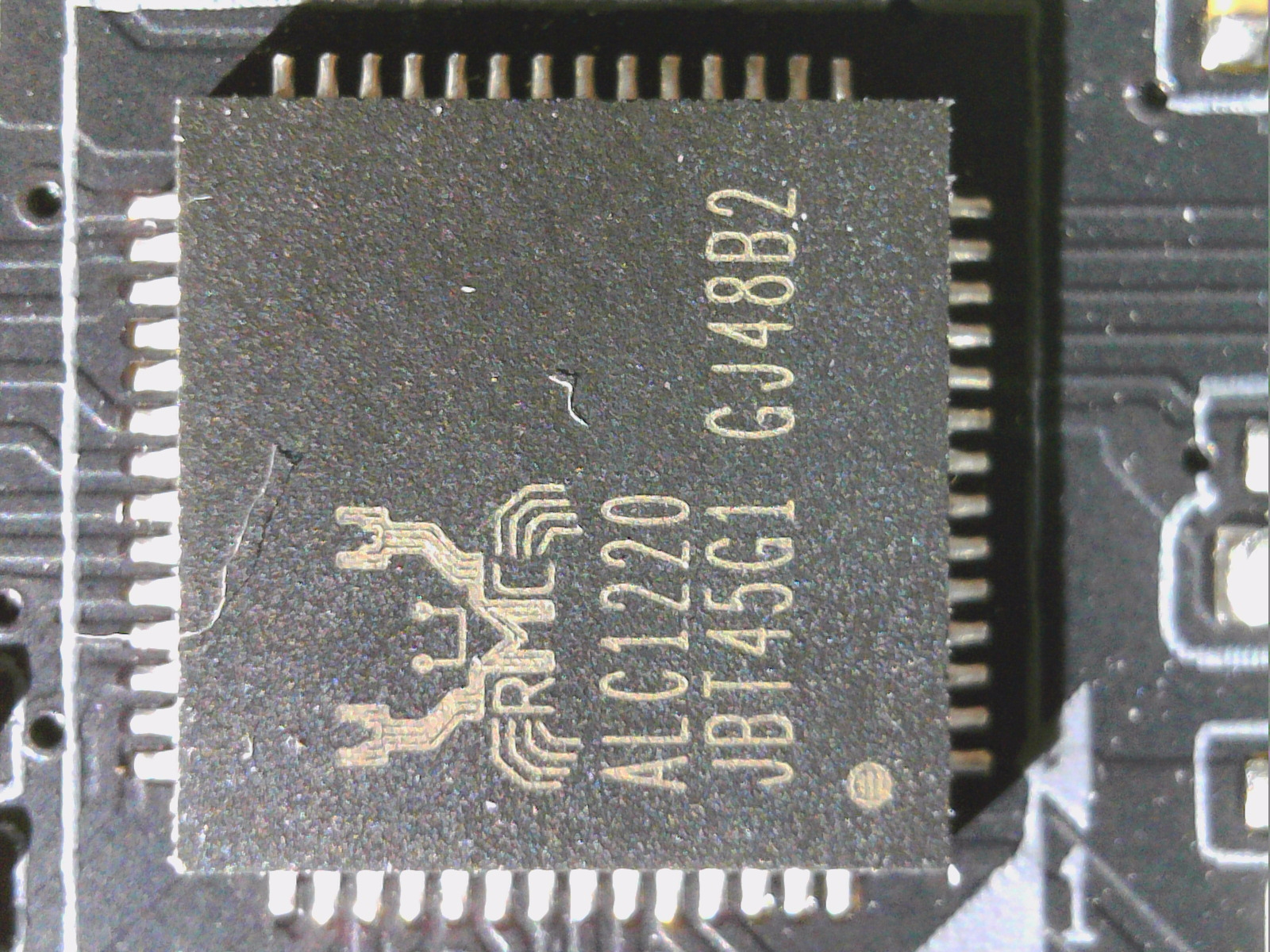
The Realtek ALC1200 is very often found on entry-level and mid-range motherboards and, if you google or interpret the swarm intelligence of the relevant forums, there is also a frightening amount of half-knowledge and ignorance in circulation. Some write of a highly labeled ALC887, others of a slightly slimmed-down ALC1220. And the only correct thing is: both are completely wrong. The larger and higher-quality ALC1220 (2017) is even older, as the ALC1200 only arrived a year later (2018) and is a completely different chip.
However, you can’t compare the ALC1200 with an old ALC887 either, that would be very unfair. Incidentally, the package of the ALC1220 is not larger by chance, because the functionality is too. Nevertheless, the ALC1200 is not garbage. I was also able to obtain the data sheets from a board manufacturer, which Realtek is unfortunately still keeping under lock and key. I hope that today’s article will at least dispel one or two urban legends.
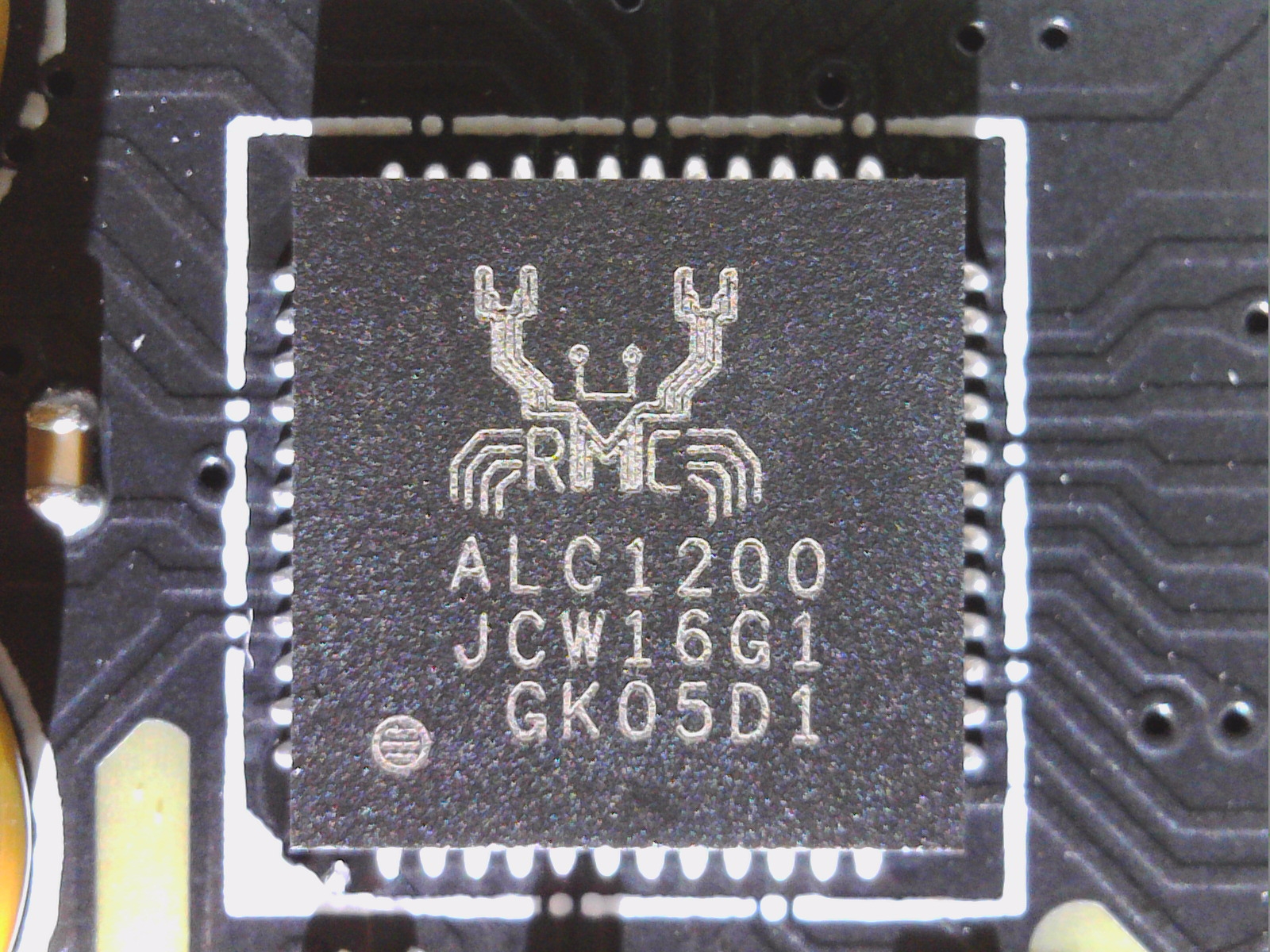
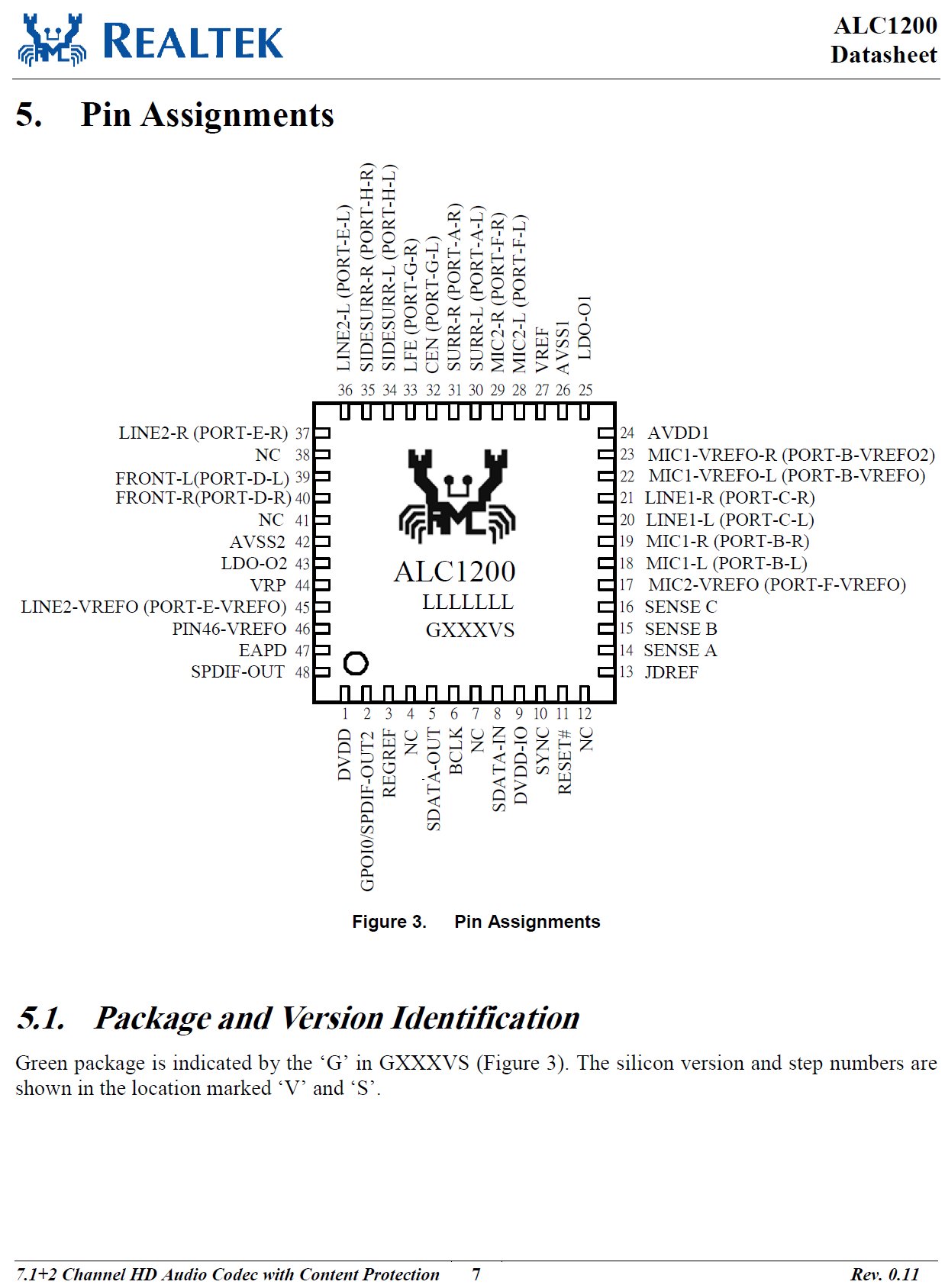
The ALC1200 in detail
The ALC1200 HD audio codec from Realtek is an SoC and an energy-saving 110 dB SNR multi-channel audio codec with lossless DRM, which protects pre-recorded and lossless content and thus enables the full playback of DVD audio and Blu-ray DVD or HD DVD discs. The chip has an integrated 5-volt to 4.5-volt low dropout (LDO) voltage regulator, which guarantees reasonably acceptable analog audio performance without external BOM, and an integrated 3.3-volt to 1.8-volt low dropout voltage regulator, which is used to power internal digital blocks.
The ALC1200 offers a maximum of ten DAC channels supporting simultaneous 7.1-channel playback and two independent stereo output channels (multiple streaming) via the front-panel stereo output (HD audio) with up to 110 dB signal-to-noise ratio (SNR). Two stereo ADCs are also integrated and realize multiple analog audio inputs including a 102 dB SNR stereo line-in and a microphone input including microphone arrays with the software functions Acoustic Echo Cancellation (AEC), Beam Forming (BF), Noise Suppression (NS) and Far Field Voice Pick up (FFP).

All analog inputs and outputs can be input and output and all can also be processed via DSP according to user definitions. There are even three integrated headphone amplifiers at the analog output connections (Port-D/Port-E/Port-F). These headphone drivers with high output power deliver up to 30 mW into a 32 ohm load, making an external headphone amplifier superfluous from Realtek’s point of view. Support for 16/20/24-bit SPDIF output with up to 192 kHz sampling rate enables easy connection to HDMI-enabled devices or various consumer electronics such as digital decoders and receivers.
The ALC1200 supports host audio from Intel and AMD chipsets as well as any other HDA-compliant audio controller that conforms to HDA specification 1.0a. Software utilities such as multi-band equalizers, independent software equalizers, dynamic range compressors and expanders, as well as optional third-party software features such as Nahimic 3D, Dolby PCEE, SRS TruSurround HD, SRS Premium Sound, Fortemedia SAM, Creative Host Audio, Synopsys Sonic Focus, DTS Surround Sensation, UltraPC and DTS Connect are supported when licensed.
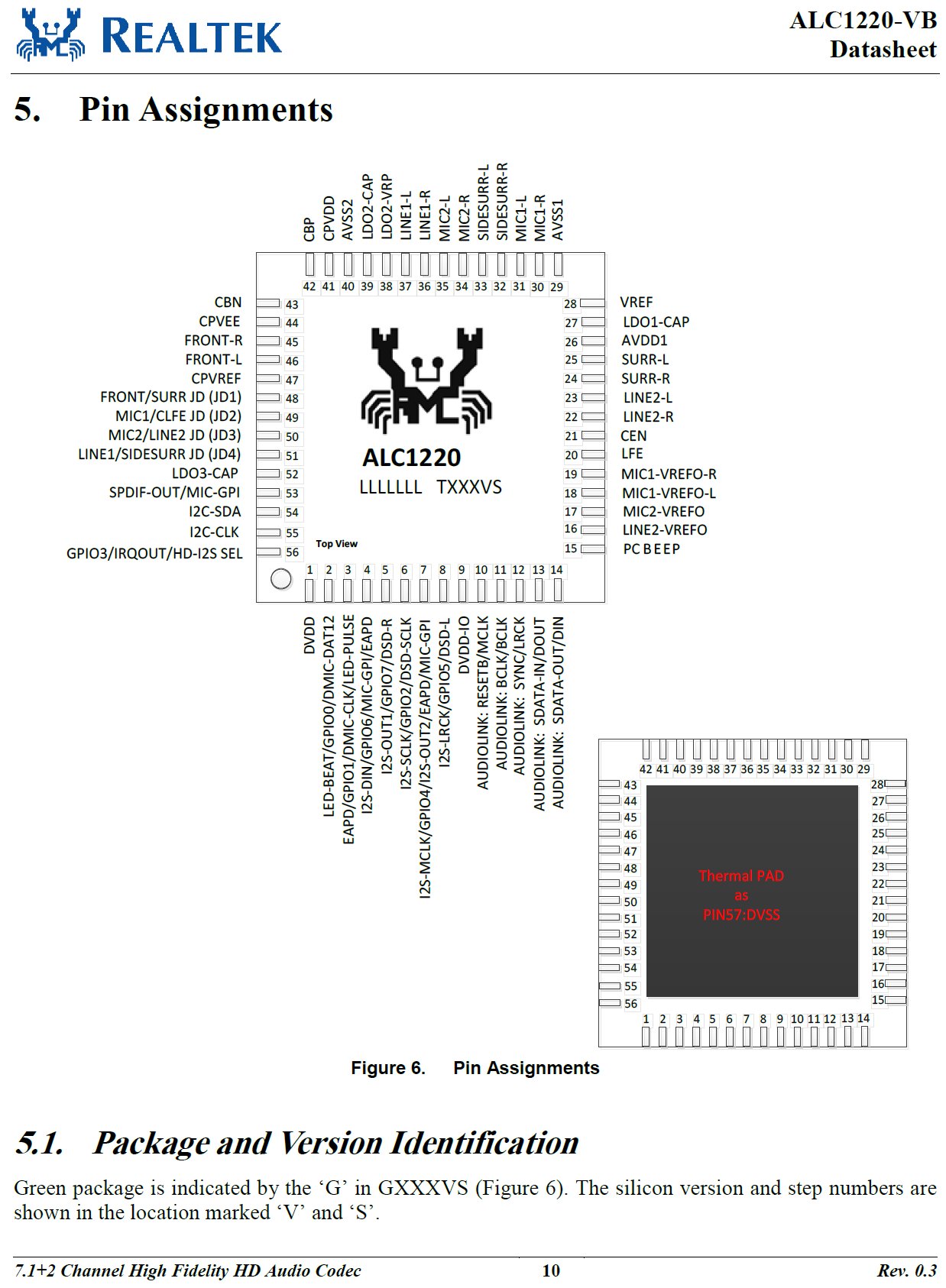
The differences to the ALC1220
The ALC1220-VB is also a SoC and a high fidelity multi-channel audio codec with bi-lingual interface that supports High Definition Audio 1.0a and the industry standard I2S and I2C. The ALC1220-VB also offers DRM, 10 DAC channels and two channels for multiple streaming. However, the signal-to-noise ratio (SNR) on the front panel is now even up to 120 dB, i.e. 10 dB more. There are also three integrated stereo ADCs instead of just two and the line-in offers up to 110 dB SNR instead of the 102 dB of the smaller ALC 1200.
DRM is also not an issue, but the ALC1220-VB also has a Direct Stream Digital (DSD) decoder and encoder to enjoy DSD stream content and create your own DSD streams with minimal loss of quality through DA and AD converters. The headphone amplifier at Port-D (front panel) is a so-called capacitor-free connection, which eliminates the need for an external coupling capacitor and ensures less distortion and fewer pop effects. This headphone amplifier at port D has a rich output voltage of up to 2.1 Vrms and can drive high-impedance headphones (up to 600 Ω), which is not possible with the ALC1200.
Pin widget overview (simplified representation)
| Node ID | Port | Typical assignment | ALC1200 | ALC1220 |
|---|---|---|---|---|
| 0x14 | D | Front headphone (HD audio header) | 1.1 Vrms, integrated headphone driver, approx. 30 mW @ 32 Ω, SNR approx. 110 dB, no impedance detection | up to 2.1 Vrms, dedicated headphone driver, impedance detection 32/150/600 Ω, SNR up to 120 dB |
| 0x15 | E | Rear line out (or configurable) | Line level approx. 1.1 Vrms, SNR approx. 108-110 dB | Line level approx. 1.1 Vrms, SNR up to 120 dB |
| 0x16 | F | Rear line out or surround | Line level approx. 1.1 Vrms | Line level approx. 1.1 Vrms |
| 0x17 | G | Center/Sub | Line level | Line level |
| 0x18 | H | Rear Surround | Line level | Line level |
| 0x19 | I | Side Surround | Line level | Line level |
| 0x1A | J | Front Mic (Front Panel) | Mic bias, ADC, gain up to 30 dB | Mic bias, ADC, gain up to 30 dB |
| 0x1B | K | Rear Mic or Line In | Mic bias or line in, ADC | Mic bias or line-in, ADC |
Technical explanation and differences between “front audio” and “front header” (Update)
The Realtek ALC1200 and the ALC1220 belong to the same codec family and are pin-compatible, but they differ in the analog output stages, in the signal quality and in the way the ports are used. To fully answer the question, it is important to first clarify how the ports work, the internal architecture and also the distinction between front header and front audio (front connection on the housing).
The ALC1220 provides its own headphone amplifiers at outputs D, E and F. Port D is particularly emphasized because it is fed directly from the so-called front DAC without capacitance, can deliver a higher maximum output voltage of up to 2.1 Vrms and also works with automatic impedance detection, which adjusts the output to 32, 150 or 600 ohms. The data sheet also indicates a maximum signal-to-noise ratio of 120 dB for this output. In contrast, all other ports are at typical line levels of around 1.1 Vrms. This makes port D technically the only output with a genuine, load-stable headphone driver and significantly higher voltage.
The ALC1200 adopts the same port structure and also has headphone drivers at D, E and F. The difference, however, is that only around 1.1 Vrms is achieved here, there is no impedance detection and the signal-to-noise ratio is lower at 110 dB. Although the architecture also provides for port D to act as the front output, the electrical performance is lower. The headphone output on the ALC1200 can provide around 30 mW at 32 ohms, which is sufficient for simple headphones, but lacks the reserves of the ALC1220.
The reason why many manufacturers now place port D on the HD audio header is a direct result of this architecture. The properties of a dedicated headphone output can only be used on Port-D. In the case of the ALC1220, these are the increased output voltage and impedance detection; in the case of the ALC1200, the better load stability of the integrated driver. The rear output on the I/O shield, on the other hand, is usually only operated with standard line levels of around 1.1 Vrms so that connected active loudspeakers or AV devices are not overdriven. The front connection, on the other hand, is the place where headphones are most likely to be plugged in directly, which is why the higher voltage and the driving power amplifier of Port-D are sensibly placed there.
At this point, a clear distinction must be made between the terms front header and front audio. The HD audio header is a connector on the mainboard (typically a 10-pin male connector, often labeled AAFP or HD_AUDIO) to which the cable from the PC case is connected. This cable in turn leads to the front audio sockets, i.e. the jack sockets on the housing itself. The header is therefore the internal interface, while the front audio sockets are the externally accessible ports on the housing. Manufacturers almost always place the electrical port D of the codec on this header so that the sockets on the housing take on the desired function as a headphone output.
There are three ways to determine whether a particular motherboard actually uses Port-D for the front header. Firstly, a so-called codec dump (under Linux or with special tools) provides information. The pin widgets 0x14 to 0x1B are displayed there, with 0x14 being Port-D. The pin default configurations indicate whether this port is designed as a front headphone. Secondly, this can be checked by measurement: If you apply a signal and measure the level at the front header under a 32-ohm load, you can see up to 2 Vrms at the ALC1220, while only around 1.1 Vrms are present at the rear line out. With the ALC1200, both outputs are around 1.1 Vrms, but the load stability of the front header is slightly better. Thirdly, the manufacturer’s specifications also provide information: If the manual or software mentions a Smart Headphone Amp or impedance detection on the front connector, this is a clear indication of Port-D.
In general, Port-D is the dedicated front output in both codecs. With the ALC1220, the higher voltage and impedance detection justify its use on the front header, with the ALC1200 it is more of a pragmatic assignment due to the port logic and load stability. The difference between front header and front audio lies in the fact that the header is only the internal connector on the mainboard, while front audio refers to the actual external housing sockets and their signal content. Whether a specific board uses this connection to port D in this way can only be clarified by a codec dump, measurement or documentation.
By the way, now you also know why I always advise you to connect the headset to the front panel first when testing the mainboard! In general, however, the three (headphone) amplifiers for the output, the I/O shield and the front header for the HD-Auto ALWAYS work separately, whereby port D is always the front audio connection (not to be confused with the front header). Well, it should be. But I’ve also had boards in my hands where this was wired incorrectly on the ALC1220 and port D remained incomprehensibly unused. Unfortunately, this also happens.
Reference to the current ALC4080
In the more recent ALC4080, Realtek has retained the familiar port logic, even though this chip is no longer connected via the classic HD-Audio link but instead works as a standalone USB audio codec. The analog outputs are still designated as Ports A through H, with Port D clearly defined as FRONT. This port is driven directly by the so-called front DAC, features a capacitor-free headphone amplifier, supports automatic impedance detection, and reaches up to 2 Vrms output voltage. Its converter quality is specified at a signal-to-noise ratio of 120 dB. Ports E and F also include integrated headphone amplifiers, but they are designed for linear levels around 1.1 Vrms and achieve a lower quality with 110 dB SNR.
This makes Port D the preferred output for headphones in the ALC4080 as well, which is why motherboard manufacturers almost always connect it to the internal front header with the case jacks. This way, the user benefits at the front from the higher voltage, better load stability, and impedance detection, while the rear jacks remain at line level, complying with the usual standards for active speakers or AV receivers. A comparison with older chips shows the continuity: in the ALC1220, Port D is likewise the only output with up to 2.1 Vrms, impedance detection, and the best SNR, while in the ALC1200 Port D is also intended as the front path but only delivers around 1.1 Vrms and lacks automatic adjustment.
It is important to note that Realtek also offers cut-down variants of the ALC4080. Some implementations omit the full 2 Vrms stage or reduce the number of available amplifiers to save cost and space. Therefore, one should not rely solely on the chip name for a specific motherboard but instead consult the manufacturer’s datasheet or measurement results. Thus, the clear distinction between front header (connector on the board) and front audio (the actual accessible case jacks) remains a crucial detail for the ALC4080 as well.
Summary and conclusion
The ALC is better than its reputation, but also has some clear disadvantages. The codec itself is absolutely fine and a blind test will initially reveal a slightly higher noise floor at most, but this also depends heavily on the external circuitry and the selected gain. It is also a modern chip, although it is of course exactly one price and performance class below the ALC1220. The latter can also cope with higher impedance headphones, at least on the front audio, which is definitely not the case with the ALC1200.
As an end user, you can do without protocols such as I2S and I2C if necessary, but the fact that DSD is completely absent is rather annoying in some situations. Then even the Nubert nuPro X-3000 RC, for example, are of no use, as they could do this but are not supplied. However, if you use the digital output or USB, you generally won’t notice any difference, not counting DSD and other subtleties. The question then remains as to which third-party software, including DTS, is supported. However, this is purely a question of licensing by the board manufacturer and not a hardware feature of the ALC1200.











62 Antworten
Kommentar
Lade neue Kommentare
Urgestein
Veteran
Urgestein
Mitglied
Mitglied
Urgestein
Mitglied
Urgestein
Mitglied
Urgestein
Mitglied
Mitglied
Mitglied
Mitglied
1
Mitglied
Neuling
Alle Kommentare lesen unter igor´sLAB Community →