














Microsoft has released unscheduled security updates to fix Windows Message Queuing, MSMQ, malfunctions that occurred after the regular security updates in December. Several versions of Microsoft Windows are affected, including Windows 10 and various Windows Server editions up to and including Server 2019. The issues could lead to outages of applications that use MSMQ for internal or external communication.
The issue became public earlier this week. After installing the December security updates, certain configurations failed to send messages via MSMQ APIs. This was caused by changes to the MSMQ security model and adjusted NTFS access rights to the folder C:\Windows\System32\MSMQ\storage. As a result, applications or services without administrative rights no longer had the necessary write permissions, which led to resource errors and interruptions in message transmission.
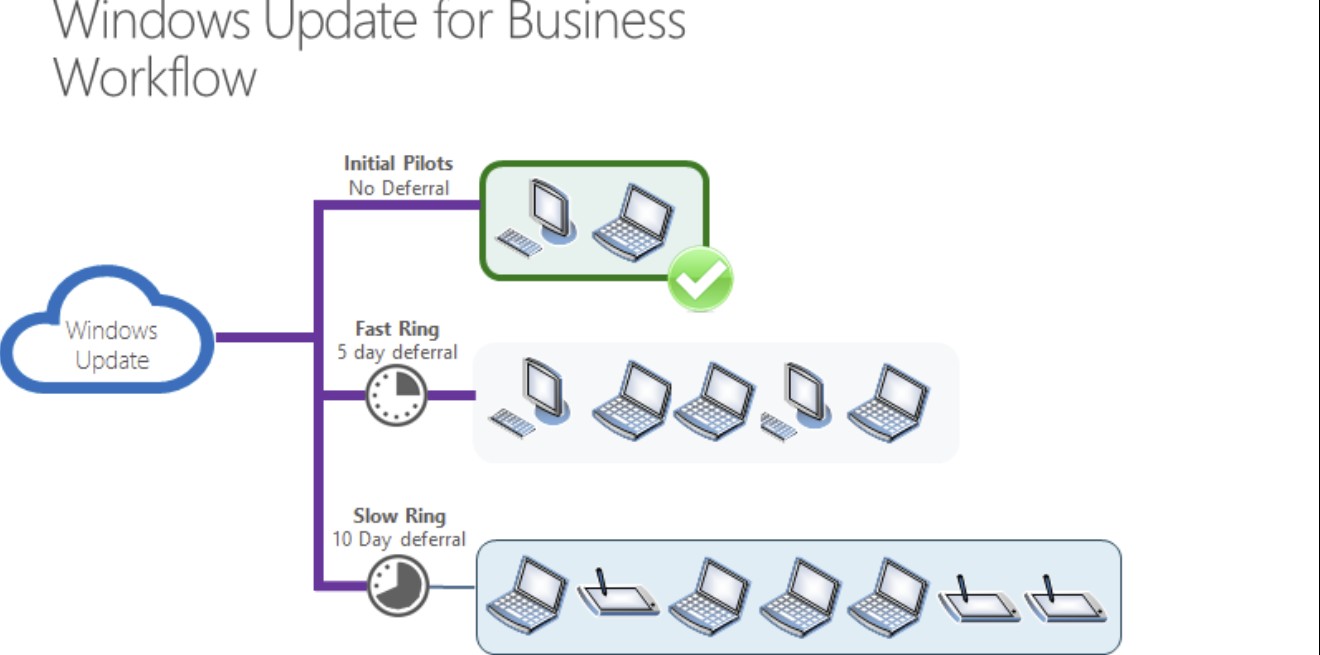
Microsoft has updated the corresponding notes in the Windows Release Health Notes and provided emergency updates. The update was released for Windows 10 under the knowledgebase number KB5074976, for Windows Server 2019 under KB5074975 and for Windows Server 2016 under KB5074974. The update for Windows 10 raises the build numbers to 19044.6693 and 19045.6693 respectively. These are cumulative updates which, in addition to correcting the MSMQ issue, also contain all other changes from the regular December patchday.
At the time of the first reports, the emergency updates were not available via the regular Windows update function. They can only be obtained via the Windows update catalog by searching for the respective KB number. According to Microsoft, individual server updates were initially not yet available despite corresponding announcements. Whether and when a distribution via Windows Update will take place has not been announced.
Over the course of the week, Microsoft expanded the group of affected operating systems. In addition to Windows 10 22H2, versions 21H2, 1809 and 1607 are now also considered vulnerable. On the server side, Windows Server 2012 R2 and Windows Server 2012 are also named in addition to Windows Server 2016 and 2019. Operators of corresponding systems that use MSMQ productively should check whether the December updates have been installed and, if necessary, install the respective emergency update manually.
The unscheduled updates rectify a side effect of the December security updates that could lead to relevant disruptions, particularly in corporate environments. The cause lay in the interaction of stricter security measures with existing authorization concepts. For affected installations, the prompt installation of the updates provided is necessary in order to restore the functionality of MSMQ-based applications.
Conclusion
The unscheduled updates from Microsoft address a clearly defined but relevant problem in corporate environments that was caused by the December security updates. The disruptions in Windows Message Queuing resulted from security-related changes to authorizations that no longer correctly took existing applications into account. With the cumulative updates provided, Microsoft has restored the functionality of MSMQ, but requires administrators to intervene manually via the update catalog. For affected systems, prompt installation is required to avoid outages of dependent applications.
| Source | Key message | Link |
|---|---|---|
| Microsoft | Description of the unscheduled cumulative update KB5074976 to fix MSMQ issues on Windows 10 after the December patchday | https://support.microsoft.com/help/5074976 |
| Microsoft | Documentation of the emergency update KB5074975 for Windows Server 2019 with correction of MSMQ malfunctions | https://support.microsoft.com/help/5074975 |
| Microsoft | Technical description of the update KB5074974 for Windows Server 2016 to restore MSMQ functionality | https://support.microsoft.com/help/5074974 |
| Microsoft | Release Health entry to expand the affected Windows and Server versions related to MSMQ issues | https://learn.microsoft.com/windows/release-health/ |




















Bisher keine Kommentare
Kommentar
Lade neue Kommentare
Artikel-Butler
Alle Kommentare lesen unter igor´sLAB Community →